Expand your
car's capabilities
Driver Settings App turns your infotainment system into a powerful daily tool — remembering your preferences, unlocking more apps, and making every drive feel tailor-made.
Remembers Your Setup
Seat position, climate, drive mode — restored automatically at every ignition.
Expands Infotainment
Your dashboard screen unlocks Waze, YouTube, TV apps and a full app store.
CHERY-Family Vehicles
Built for CHERY, JAECOO, and Arrizo infotainment systems.
Smart Automation
Gesture shortcuts, comfort automation, and one-tap profile switching.
The Problem
Your car is smarter than
it's
allowed to be
Modern CHERY-family vehicles have powerful infotainment systems — but they're held back by software limitations that Driver Settings App removes.
Settings reset after every start
Every time you start your car, your preferred seat position, mirror angle, climate zone, and drive mode are gone. You repeat the same setup every single day.
Your screen could do so much more
The infotainment screen is large, capable, and powerful — yet locked to a narrow set of built-in apps. Your dashboard deserves better.
Comfort features need to be configured manually
Seat heating, steering wheel heating, ventilation — great features that need to be switched on manually every time. That should not be the case.
Driver Settings App solves all of this.
One app that restores your settings on startup, expands your infotainment with the apps you actually want, and automates the comfort routines you repeat every day.
Features
Everything your car
was missing
Five categories of improvements, all working together to make your daily drive better.
Driver Comfort
Your car greets you the way you like — every single time.
Save & restore driver settings
Seat position, mirrors, climate zones — all restored on ignition.
Seat heating & ventilation
Automatically activate based on temperature or preference.
Steering wheel heating
Restored to your preferred state on startup.
Seat position memory
Multiple driver profiles with dedicated seat positions.
Lock rear windows
Keep your preferred rear window lock state.
Sunshade / sunroof preferences
Open or close on startup based on your config.
Safety & Alerts
Restore your preferred warning and safety assist settings.
Lane departure prevention
Restore your preferred LDWS configuration.
Emergency lane keeping assist
Always set to your preference from ignition.
Automatic emergency braking
Never accidentally leave AEB turned off.
Rear cross traffic assist
Restore on every startup automatically.
Speed limit assist
Keep your preferred speed alert threshold.
Driver monitoring & child alerts
Your chosen alert behavior, always active.
Drive & Efficiency
Start every drive in exactly the mode you prefer.
Drive mode selection
Eco, Normal, Sport — restored on startup.
Quick eco mode switching
Gesture shortcut for fast mode transitions.
Power saving mode
Configure and restore your energy preferences.
Energy recovery intensity
Set your preferred regen braking level.
Apps & Infotainment
Your dashboard screen, fully unlocked.
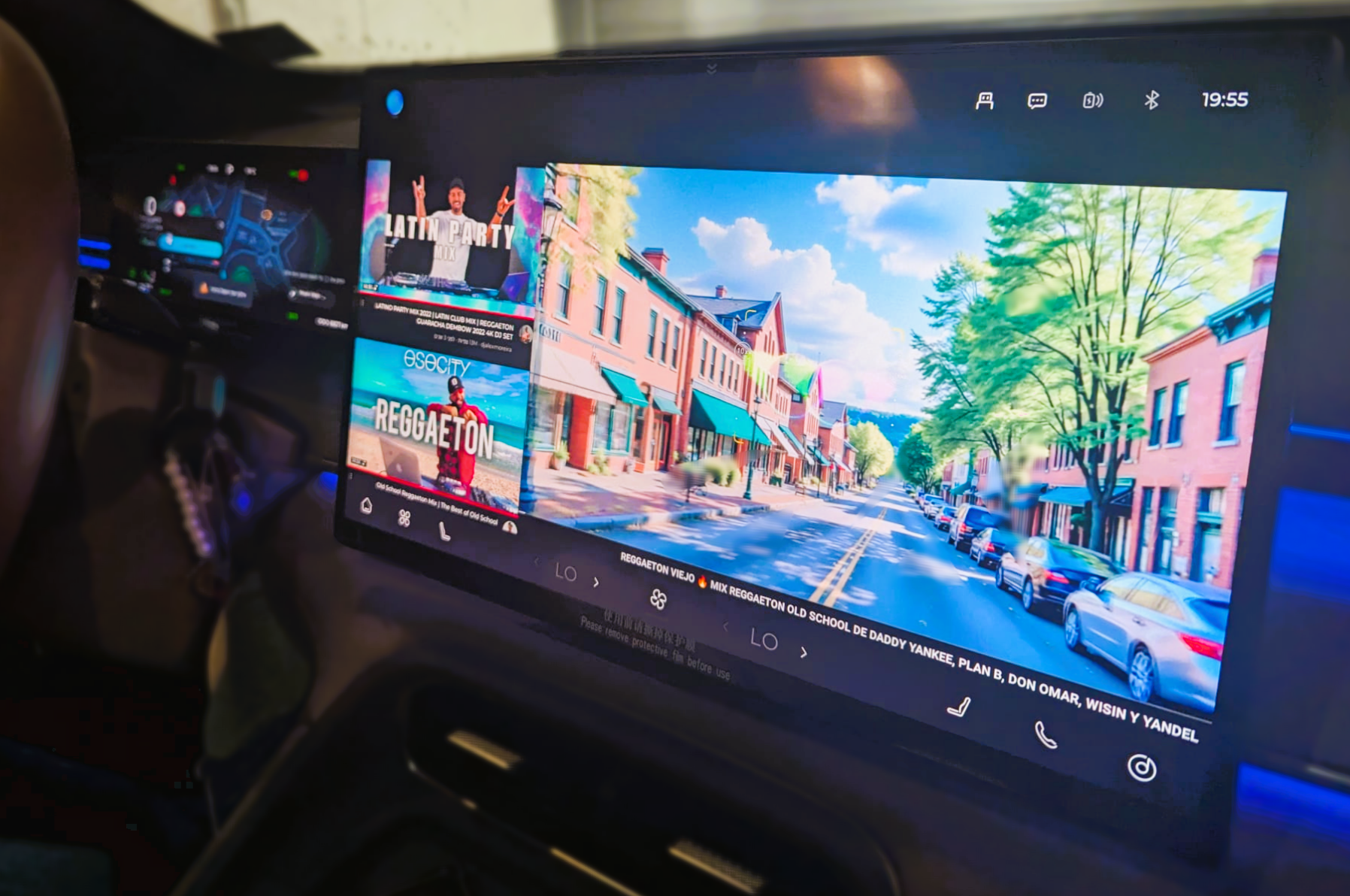
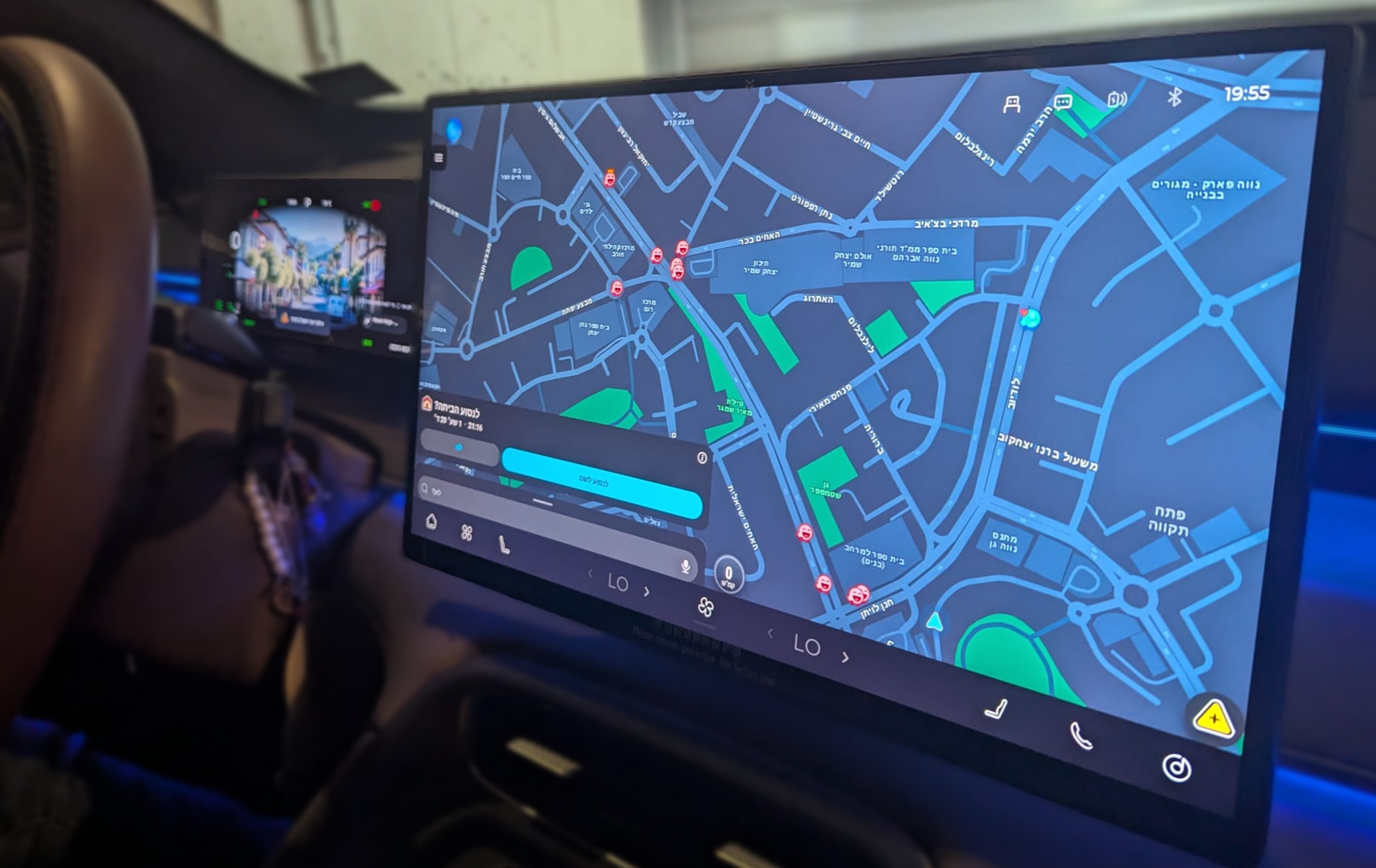
Waze on the dashboard
Use Waze for navigation directly on your car screen.
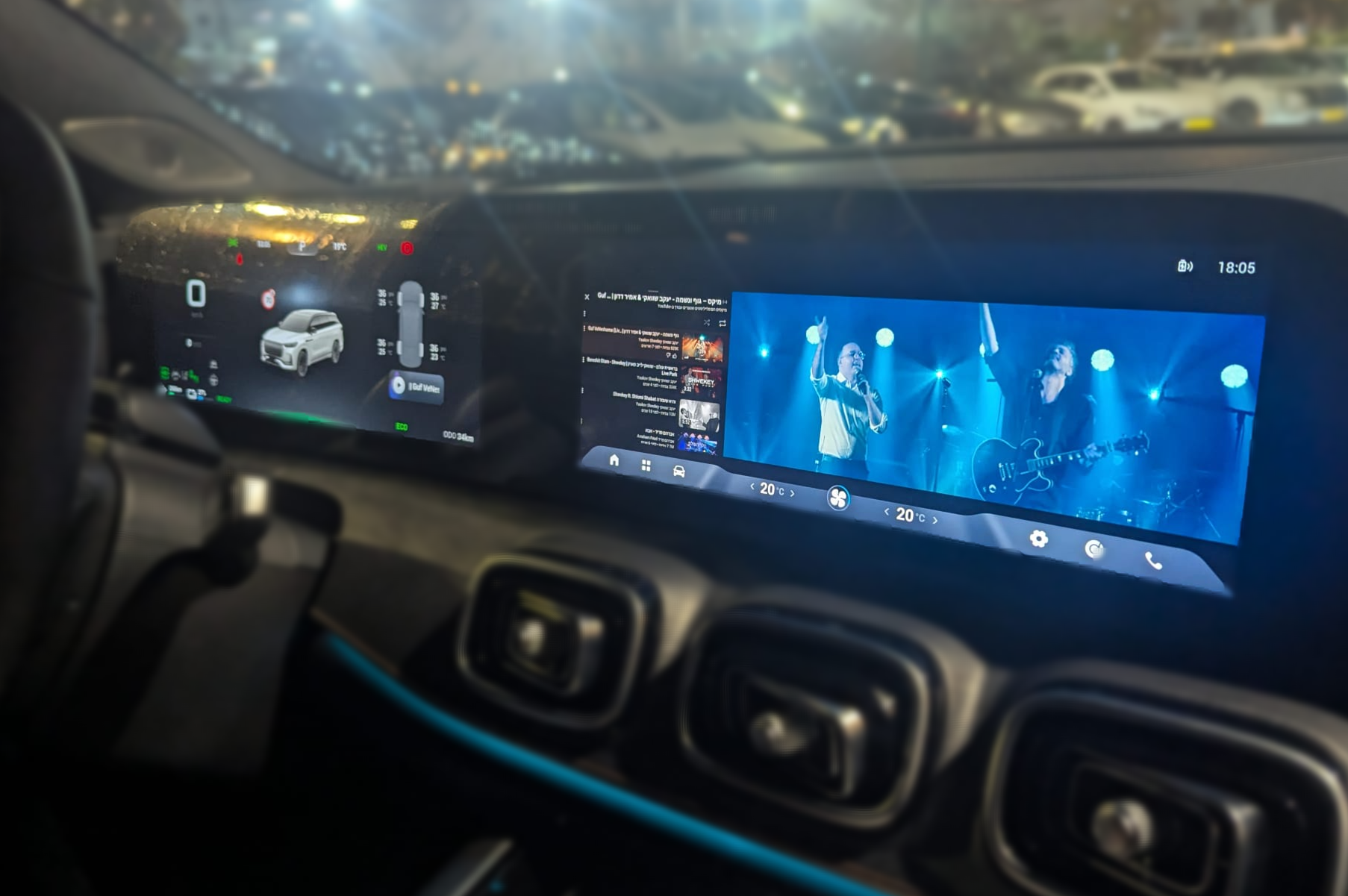
YouTube on screen
Full YouTube experience on the infotainment display.
TV apps
Stream your favorite TV content from the dashboard.
Built-in app store
Install most Play Store apps directly on the car.
App management
Close background apps and manage memory efficiently.
OTA updates
Keep Driver Settings App updated over the air.
Smart Shortcuts
Gesture-based shortcuts for the things you do every day.
Climate control gesture
Quickly toggle climate settings with a gesture.
Driver profile selection
Switch between driver profiles via gesture shortcut.
Eco mode gesture shortcut
Instantly switch eco mode with a quick gesture.
Optional white theme
Prefer a lighter UI? Switch to the white theme.
In Action
v3.0.2.0 Features
See what's new in the latest version of Driver Settings App for JAECOO and CHERY vehicles.
All footage captured on real CHERY-family vehicles.
Real Screenshots
What it looks like
inside your car
Every screenshot taken from a real CHERY-family vehicle running Driver Settings App.
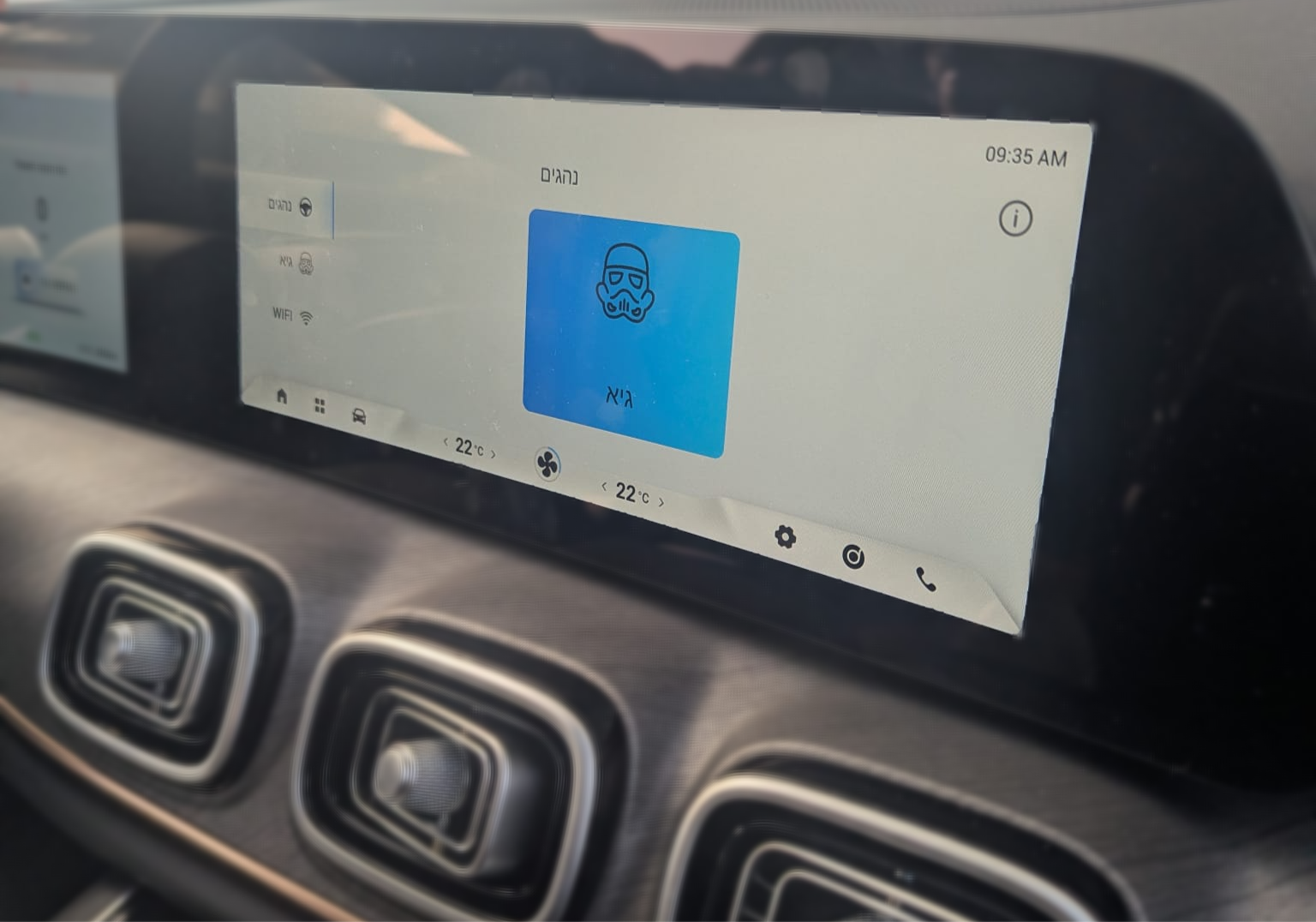
Save & Restore Settings
Your seat, mirrors, climate and drive mode — remembered and restored every time.
Waze & YouTube
Navigation and streaming apps running side by side on your infotainment screen.
Navigation + Audio
Split-screen maps and music — everything visible at a glance while driving.
Real Vehicle
CHERY-family infotainment, fully unlocked
Supports CHERY, JAECOO, and Arrizo dashboards with the same smooth experience.
Compatibility
Works with your vehicle
Driver Settings App is built specifically for the CHERY family of vehicles. If your car runs CHERY's infotainment system, you're covered.
Not sure if your specific model is supported? Ask us directly →
FAQ
Common questions
Everything you need to know before getting started.
Will installing Driver Settings App affect my car warranty?
No. Driver Settings App operates entirely through the infotainment system's built-in Android OS capabilities. It does not modify firmware, ECU, or any vehicle control systems. Your warranty is not affected.
Is the installation process difficult?
Not at all. You need a laptop with Chrome browser, a USB Type-A to Type-A cable, and a USB flash drive. The process takes 10–20 minutes and requires no technical background.
Which car models are supported?
Driver Settings App works with vehicles running CHERY's infotainment platform — this includes CHERY, JAECOO, and Arrizo models. Contact us to confirm your specific model.
Can I install apps like Waze, YouTube, and TV apps?
Yes. The built-in app store gives access to most Play Store apps, including Waze, YouTube, streaming apps, and many more. You can also manage and close background apps.
What happens if I sell my car or update the software?
You can uninstall Driver Settings App cleanly at any time. If a factory update resets the system, you can simply reinstall. The process is always reversible.
Does it work while driving?
Settings are restored automatically at ignition, before you start moving. Apps like Waze and music players function normally while driving, the same as built-in apps.
Does the app support light and dark modes?
The Driver Settings App follows the vehicle’s system theme, automatically adjusting between light and dark modes based on the car’s display settings.
How do OTA updates work?
When a new version is available, you'll be notified directly through the app. Updates install over your car's internet connection — no cables or computers required.
Get Started
Ready to unlock your
car's full
potential?
The installation is simple, safe, and reversible. Join hundreds of drivers who've upgraded their daily driving experience.
One-Time Payment · Lifetime Access
Includes every feature available in the app. No subscriptions, no hidden fees.