Compatibility: Tiggo 8 and Tiggo 9 need individual checks
The Tiggo 8 and Tiggo 9 names cover different equipment and software configurations. Do not assume that a feature shown in one vehicle is available in another, or that petrol, hybrid and PHEV variants share the same installation process.
Contact DSA support with your exact model, model year, country, powertrain, trim and infotainment software version. Include a photo of the version screen if possible. Our team will confirm the appropriate installation method and available options.
Features that control seats, mirrors or climate equipment require compatible hardware. After installation, select only equipment physically present in your car.
Available features
Saved preferences for the active driver
DSA lets you create driver profiles and save supported preferences. Settings for the active profile apply when the vehicle starts, helping reduce repeated adjustments. The options available to a Tiggo 8 owner may differ from those available in a Tiggo 9.
Seat-position memory requires a supported memory system and a saved profile slot. Use the Quick Setup guide to configure profiles and equipment after installation.
Apps on the infotainment screen
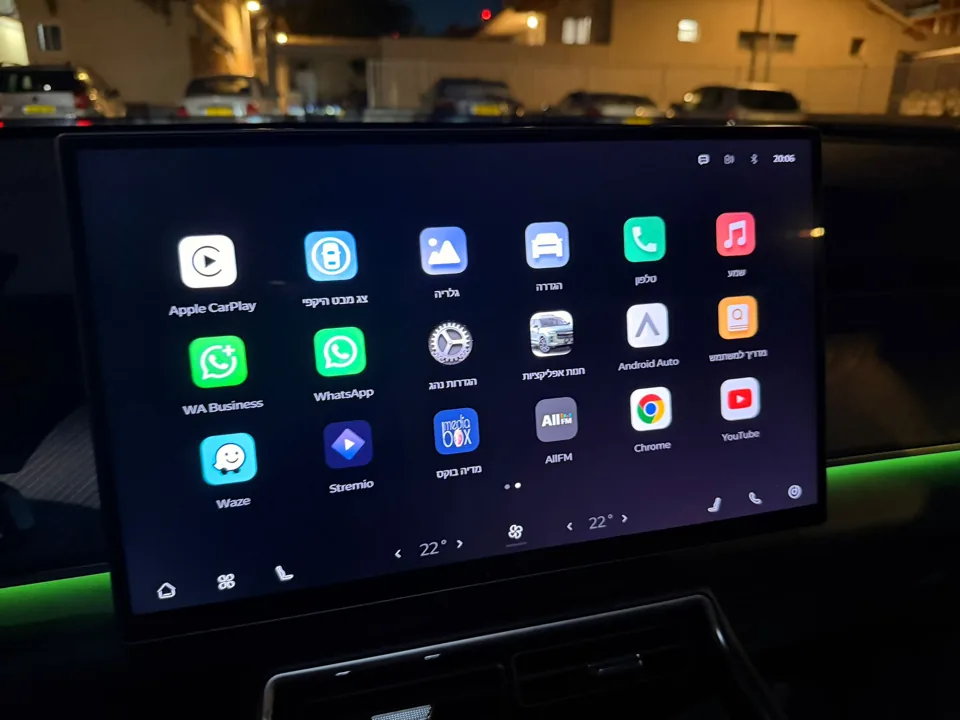
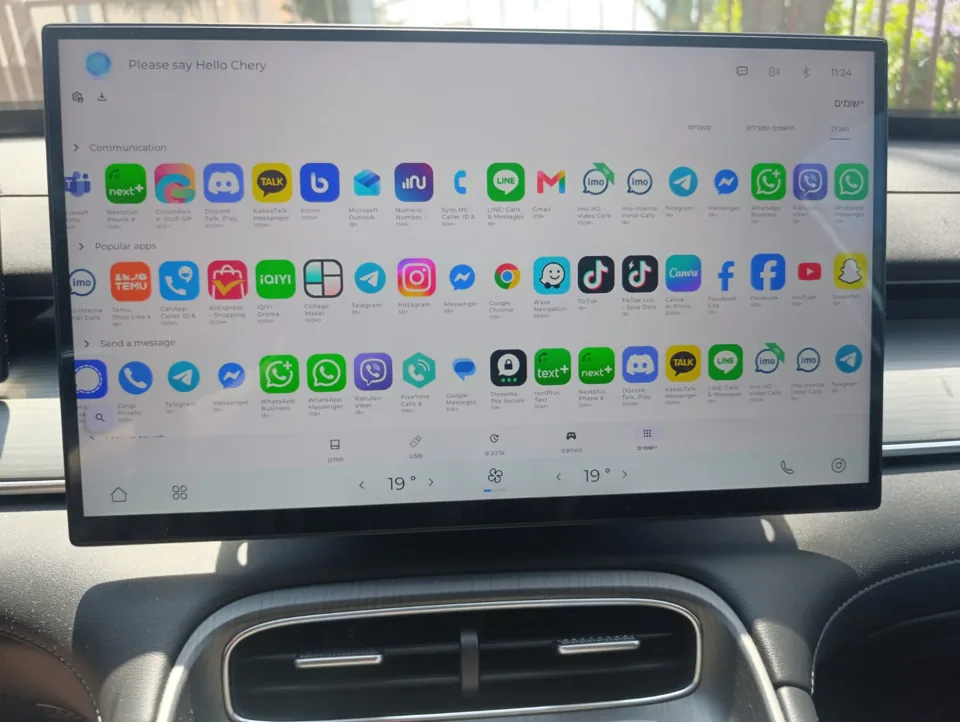
The channel’s Tiggo videos demonstrate the app experience, including navigation and entertainment. DSA’s App Store handles supported app installation and management. The App Guide covers apps such as Waze and YouTube, with current instructions and limitations.
Some apps and Google services behave differently on the car screen. Internet access is needed for online apps and downloads; review the setup guide for connection options and wireless Android Auto/CarPlay behavior.
Gestures and sound customization
Configurable gestures provide shortcuts to supported actions, including climate controls where available. Seat heating and ventilation depend on fitted equipment.
The Tiggo 8/9 showcase also highlights sound customization. XEQ provides equalizer controls so you can adjust the sound to your preference. Start with a preset and follow the setup guide; results depend on the vehicle’s audio system and your chosen settings.
Watch the Tiggo 8 / Tiggo 9 showcase
Watch the Tiggo 8 / Tiggo 9 showcase on YouTube, published June 16, 2026.
The video shows an earlier DSA version. Later updates may change the interface and available options. Treat the showcase as an introduction and contact support for the current installation instructions for your vehicle.
What’s changed since filming?
This video shows an earlier version of DSA. The interface, available features and setup process may have changed since filming. See DSA Product Updates for release details, and contact support to confirm what’s available for your vehicle.
Getting started
- Contact DSA support with your vehicle and infotainment details.
- Confirm the available features, pricing and installation process with our team.
- Complete installation using the provided instructions. Contact support if your screens differ before continuing.
- Configure your equipment and driver profile, then choose supported apps, gestures and equalizer settings using the Quick Setup guide.
Common questions
Are Tiggo 8 and Tiggo 9 features identical?No. Equipment and infotainment software can differ between models, trims and markets. Support will confirm the options relevant to your car.
Does the video confirm compatibility with my PHEV?No. Send your exact vehicle details to support before installation.
What if an app or setting behaves differently from the video?Check the current guides and contact support. The showcase predates later releases.
Where can I get help after installation?Visit the DSA Support Hub or contact our team.