Compatibility: check your exact J5
The J5 name alone does not confirm which DSA features are available. Your market, model year, powertrain, trim and infotainment software matter. A demonstration in one J5 is not a guarantee for every petrol or electric version.
Contact DSA support with those details before installation. A photo of your infotainment version screen can help our team confirm the appropriate process and available options.
Select only equipment actually fitted to your vehicle during setup. Seat memory, heating and ventilation require compatible hardware; enabling an option cannot add missing equipment.
Available features
Save your driver preferences
Create a driver profile and configure the settings supported by your car. DSA saves preferences for the active profile and applies them when the vehicle starts, reducing repeated adjustments. The current setup guide explains how to add and select profiles.
Comfort and energy-management options vary by configuration. For a J5 EV, ask support which settings apply to your software version.
Use supported apps on the car screen
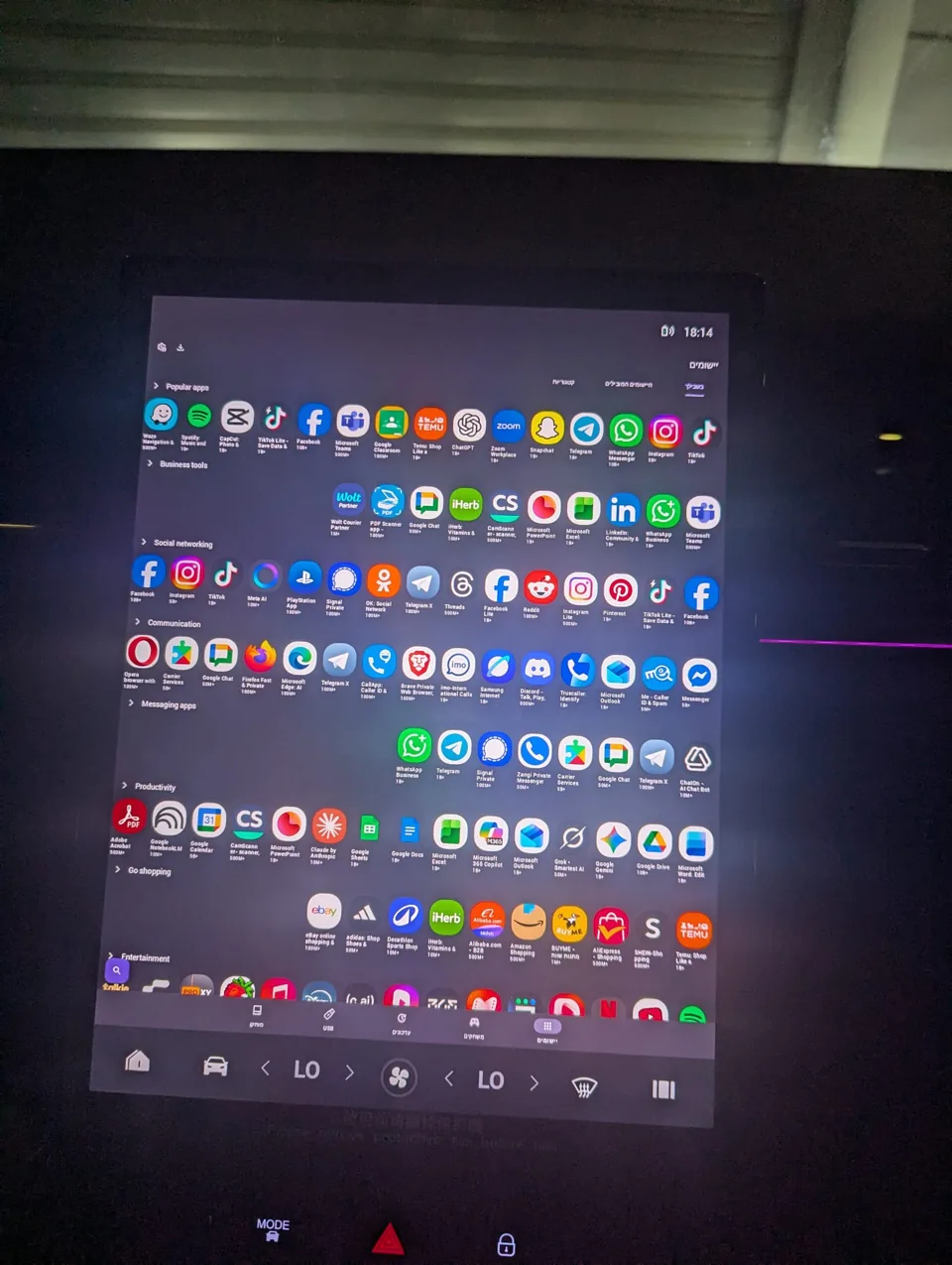
The J5 showcase demonstrates apps including YouTube and Waze. DSA’s App Store provides installation and management for supported apps. Consult the App Guide for current app-specific instructions and limitations.
Not every Android app or Google service behaves as it does on a phone. Online navigation, streaming and downloads also need an internet connection. The Quick Setup guide explains connectivity, including its interaction with wireless Android Auto and CarPlay.
Configure shortcuts and sound
DSA offers configurable gestures for supported actions. Available climate and comfort controls depend on your vehicle. XEQ provides equalizer controls for sound customization; follow the setup guide and adjust the sound to your preference.
Watch the J5 showcase
Watch Jaecoo J5 Apps Upgrade on YouTube, published May 12, 2026.
This video shows an earlier version of DSA. Updates have been released since filming, so screens and available options may differ. Use it to explore the experience, then contact support for current installation instructions.
What’s changed since filming?
This video shows an earlier version of DSA. The interface, available features and setup process may have changed since filming. See DSA Product Updates for release details, and contact support to confirm what’s available for your vehicle.
Getting started
- Contact DSA support. Send your model year, market, powertrain and infotainment software details.
- Confirm compatibility and pricing. Our team will explain the appropriate installation process and what to prepare.
- Follow the instructions provided for your vehicle. If your screen or results differ, contact support before continuing.
- Configure your first profile after installation. Select your actual equipment, then choose supported apps, gestures and sound settings using the Quick Setup guide.
Common questions
Does DSA work on every J5?Compatibility and feature availability need to be checked for your exact vehicle. The model name and video alone are not enough.
Can I install it by following the video?Installation starts with support. The video is a showcase of an earlier version, not the current installation entry point.
Where can I get help after installation?Use the DSA Support Hub or contact our team.